

 Yeliz Akmaca
Astros DEX is a decentralized cryptocurrency exchange built on the Sui blockchain. It works as a DEX Aggregator, combining multiple liquidity pools to offer users the best price. Astros also supports token swaps for NAVX and other tokens, as well as perpetual trading.

What is a DEX Aggregator?
There are many DEXs in the market (SuiSwap, Cetus), and prices can vary slightly between them.
Astros is a DEX Aggregator, meaning it searches across multiple DEXs to find the best price for your trade.
Think of Astros like a shopping assistant for crypto:
-
If you want to buy $1,000 worth of BTC, Astros checks all available DEXs.
-
It executes the trade where the price is lowest and fees are minimal.
-
For large orders, it can even split the trade across 3 DEXs to reduce costs (Order Splitting).
Astros allows you to find the optimal swap rate without paying extra fees.

Key Details for Beginners
-
Network: Sui
-
Supported Tokens: SUI, NAVX, other Sui ecosystem tokens
-
Platform Type: Decentralized Exchange (DEX) / Aggregator
-
User Access: Web3 wallet or Google login
-
Security: Audited and open-source smart contracts
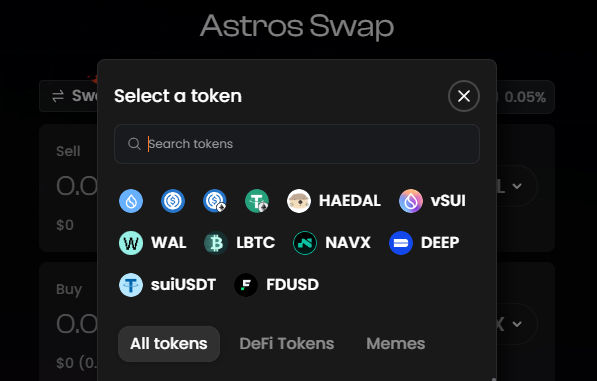
How to Use Astros DEX: Step by Step
Since Astros is decentralized, you need a crypto wallet to manage funds.
1. Set Up a Wallet
Install a wallet compatible with Sui Network (e.g., Sui Wallet, Fewcha, Martian). Think of this as a digital bank account.
2. Fund Your Wallet
Send tokens (usually SUI) to your wallet to use for swaps.
3. Connect to Astros
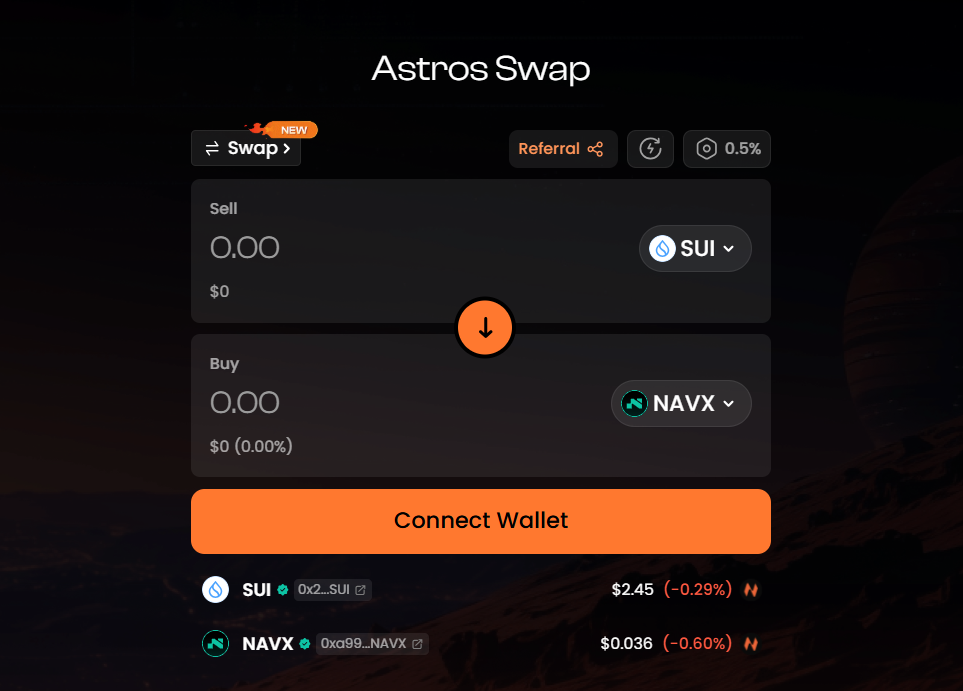
Go to Astros.ag and click “Connect Wallet” in the top-right corner. Select your wallet and confirm the connection.

Step-by-Step Swap Process
-
Connect Wallet
Use MetaMask or a Sui-compatible Web3 wallet. Click here to register on Astros Exchange at a discounted rate. -
Deposit Tokens
Deposit SUI, NAVX, or USDC to start swapping. Transaction times on the Sui network are typically under 1 minute. -
Start Swap
-
Choose the token you want to sell (FROM) and the token you want to buy (TO).
-
Enter the amount to swap.
-
Confirm the estimated amount and transaction fee, then approve the trade.
-
Manage Orders
Astros supports market and limit orders:
-
Market Order: Executes immediately.
-
Limit Order: Executes at a specified price.
Check your wallet to confirm token balances after the swap.
Fees and Liquidity
-
Swap fees are generally low and based on network costs.
-
Liquidity pools minimize price slippage.
-
Astros ensures optimal pricing across all supported tokens.

Why Use Astros DEX?
-
Zero Fees: Aggregator feature usually charges no trading fees.
-
Best Price Guarantee: Scans multiple DEXs to find the best rate.
-
Security: Funds remain in your wallet; no centralized custody.
-
High Performance: Fast, low-latency transactions.
Highlighted Features
-
High-Performance Trading: Optimized smart contracts for fast execution.
-
Order Splitting: Large trades spread across pools for optimal price.
-
Multi-Hop Trading: Reduces costs using multiple routes.
-
Security & Reliability: Multi-layer security protocols.
-
Free & Efficient: Minimal costs, zero aggregator fees.
-
Scalable Performance: Handles high-volume trades smoothly.
FAQs
Q1: How do I deposit funds?
A1: Send SUI or supported tokens from your Web3 wallet.
Q2: How long do swaps take?
A2: Under 1 minute on Sui; 5–15 minutes on other EVM-compatible chains.
Q3: Which tokens are supported?
A3: SUI, NAVX, and other ecosystem tokens.
Q4: Are there fees?
A4: Low swap and network fees apply; shown before confirmation.
Q5: Is it safe?
A5: Yes, audited and open-source smart contracts ensure security.
You can also freely share your thoughts and comments about the topic in the comment section. Additionally, don’t forget to follow us on our Telegram, YouTube, and Twitter channels for the latest news and updates.