

 Emre Yumlu
MetaMask is a popular and trusted browser extension that serves as a cryptocurrency wallet connecting to the Ethereum blockchain. MetaMask enables users to interact with decentralized applications (DApps) and provides easy access to the Ethereum ecosystem, which includes decentralized exchanges (DEXs), gaming platforms, gambling sites, and many other applications. By not requiring users to download the entire blockchain to their device, MetaMask is one of the best Ethereum wallet solutions. It is compatible with widely used browsers such as Chrome, Firefox, Brave, and Microsoft Edge. In addition to storing Ethereum’s native currency, ETH, MetaMask also supports tokens built on the ERC-20 and ERC-721 standards.
MetaMask was founded by Aaron Davis and the blockchain company ConsenSys. This guide will explore MetaMask’s features, how to install and use it, and whether it is secure.
What Is MetaMask?
MetaMask, launched in 2016, reached 400,000 users by September 2020 and hit 1 million monthly active users in October 2020. Before 2019, it was only available as a desktop browser extension for Firefox and Chrome. In September 2020, ConsenSys released the first official MetaMask mobile application for Android and iOS devices.
According to an audit by the independent security firm Least Authority, MetaMask offers top-tier security and design features. One of the key features that makes MetaMask a leading Ethereum wallet is its advanced encryption technology, which securely stores passwords and private keys on the user’s device. Additionally, it allows users to connect multiple wallets and switch between the Ethereum mainnet, major testnets, and even the Binance Smart Chain mainnet.
How to Install and Use MetaMask?
Installing the MetaMask Chrome Browser Extension
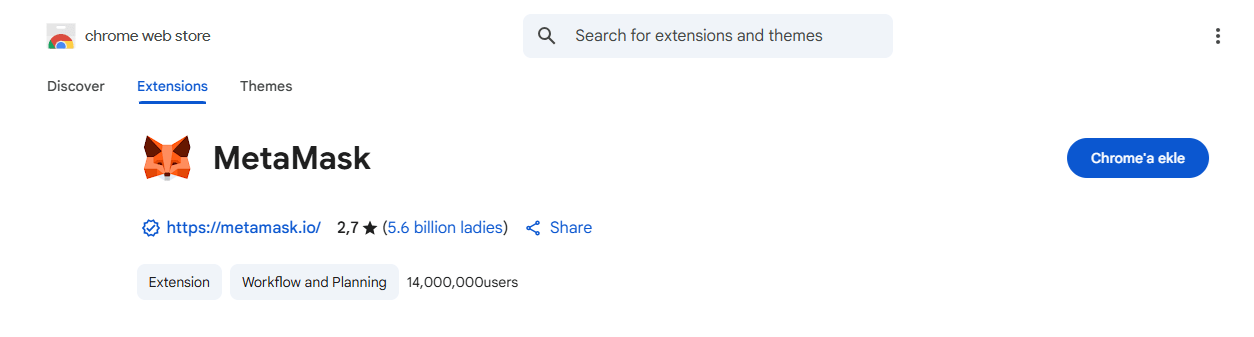
To start using MetaMask, you need to install the appropriate browser extension. The setup process is similar across different browsers. After a successful installation, click the “Get Started” button in the dialog box that appears. This will lead to the “Create a Wallet” option.
In the next step, you can choose to agree or disagree to help “Improve MetaMask.” You will then be prompted to create a password, which should be at least eight characters long, including letters, numbers, and symbols. Click “Create” and write down the 12-word seed phrase.
Seed Phrase and Backup
It is highly recommended to write down the seed phrase and store it securely, away from others. Avoid keeping a digital copy of your seed phrase, as anyone who gains access to it can fully access your wallet and likely drain your funds by importing the seed into another wallet. The seed phrase is the only way to recover your wallet if you forget your password, your device is damaged, or you want to use MetaMask on another device.
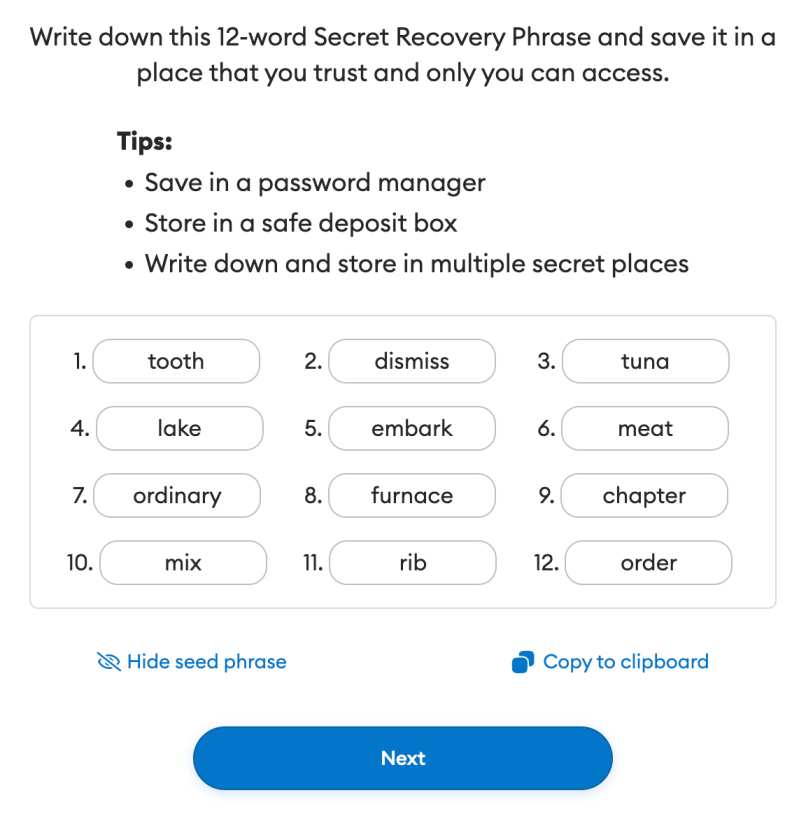
Clicking “Next” takes you to a confirmation page where you must enter the seed phrase in the exact order provided. Then, click “Confirm.” After successful confirmation, the setup process concludes with the final page, where you click “All Done” to complete the setup. You’ll be automatically logged in, ready to interact with the Ethereum ecosystem.
When logged out, click the MetaMask icon in the upper right corner of your browser and use your login credentials to access the wallet again.
Wallet Features
Within the wallet, you can view your funds in the “Assets” tab and track your transactions in the “Activity” section. To initiate a transaction, use the “Send” option to enter the recipient’s Ethereum address, the amount to send, and the gas fee you’re willing to pay.
Firefox
MetaMask is also available as a Firefox extension. Firefox users can download the MetaMask extension here.
Mobile
The mobile version offers the same functionality as the desktop browser extensions, including secure logins, key vaults, accounts, and access to Ethereum-based DApps via the DApp browser. Although it is a hot wallet (connected to the internet), MetaMask facilitates easy integration with cold wallets like Ledger, CoolWallet, KeepKey, and Trezor. To use MetaMask on Android or iOS, download the app from the Google Play Store or App Store and follow the prompts.
How to Use MetaMask?
After creating your account, you’ll see your balance and portfolio in the wallet interface. For more details, click on the portfolio tab. The bottom menu allows you to perform various actions such as Buy, Sell, Swap, Bridge, Send, and Receive.
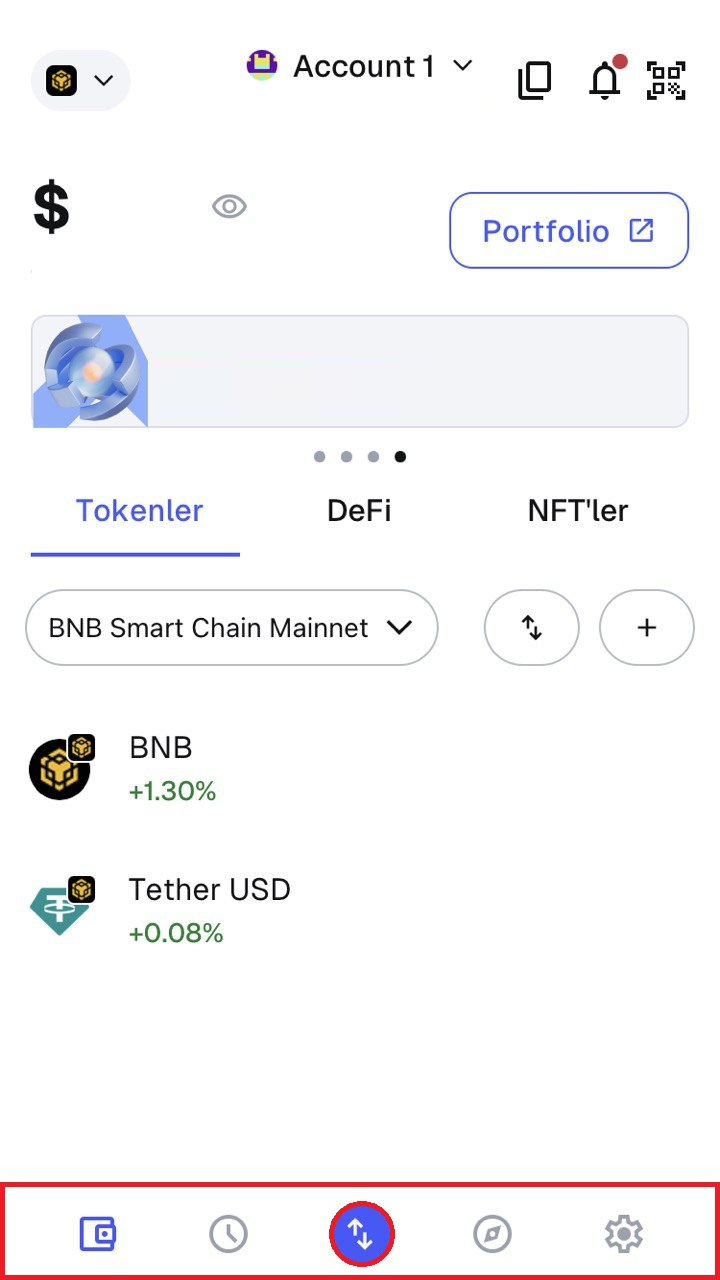
By clicking the network tab, you can conduct transactions on your preferred blockchain. The settings section lets you customize your wallet. These features make MetaMask an intuitive and powerful tool for both beginners and experienced users.
Also, you can freely share your thoughts and comments about the topic in the comment section. Additionally, please follow us on our Telegram, YouTube and Twitter channels for the latest news and updates.