

 Yeliz Akmaca
Ranger Finance is a perpetual trading exchange operating on the Solana blockchain. The platform aggregates liquidity from multiple DEXs, enabling users to trade at better prices. It also allows users to trade with USDC and integrates seamlessly with Solana-compatible wallets like Phantom.

Ranger Finance Features
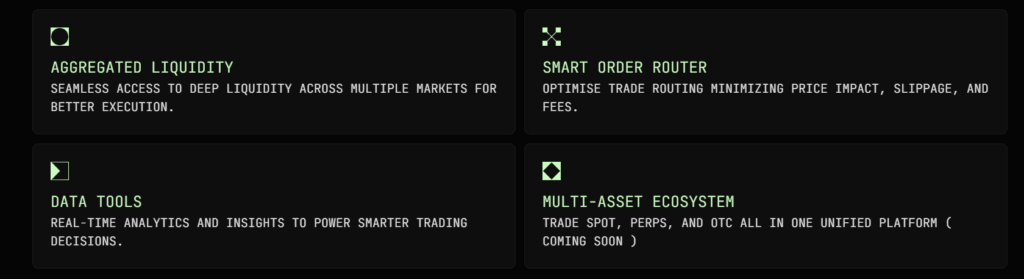
- Omni-Market Coverage: Ranger unifies multiple markets, including Solana DEXs such as Drift, Zeta, and others, into a single interface. Users can view and manage all trading pairs and liquidity pools in one place.
- Liquidity Aggregation: Ranger consolidates fragmented liquidity across DEXs. This enables deeper markets, reduced slippage, and better conditions for executing large trades.
- Real-Time Analytics & Data Standardization: Key metrics like funding rates, open interest, and liquidations are presented in a standardized format across all DEXs. This helps both users and developers understand the market more easily.
- Smart Order Router (SOR): Ranger’s SOR technology automatically routes trades to the best liquidity pools, minimizing slippage and lowering transaction costs.
- Multi-Asset Support: In addition to USDC, users can trade with various assets such as SOL, ETH, and BTC. Different collaterals and asset types are supported for flexible trading.
Step-by-Step Ranger Finance Usage Guide
Wallet Setup
First, set up a Solana-compatible wallet. Phantom is a popular choice. After creating your wallet, add some SOL to cover transaction fees.
Connecting Your Wallet to Ranger Finance
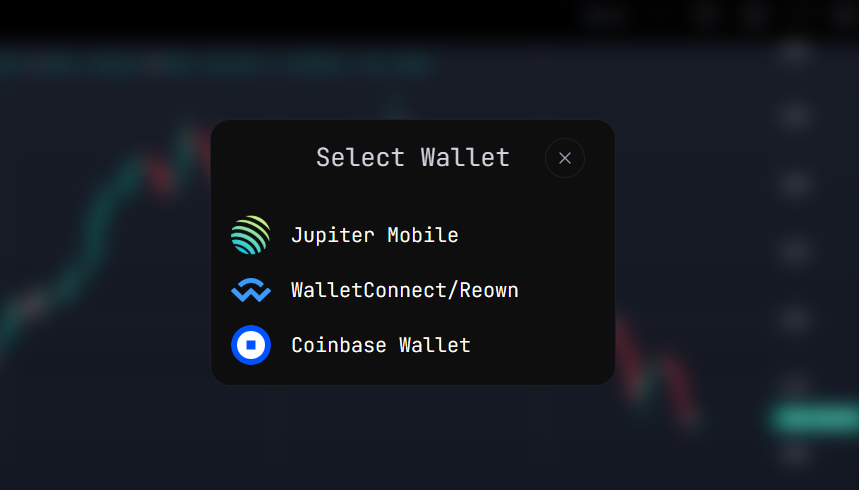
- Open the Ranger Finance platform.
- Click the “Connect Wallet” button in the top-right corner.
- Select and approve your wallet (Phantom or other).
Starting to Trade
Once your wallet is connected, you can begin trading. Your USDC balance will serve as collateral for trading. For example, you can take long or short positions on pairs like SOL/USDC.
Depositing Funds
- Go to the “Deposit” or “Add Funds” section.
- Add USDC to your wallet.
- Enter the amount and confirm the transfer.
- The transaction usually completes within seconds to minutes.
Managing Trades
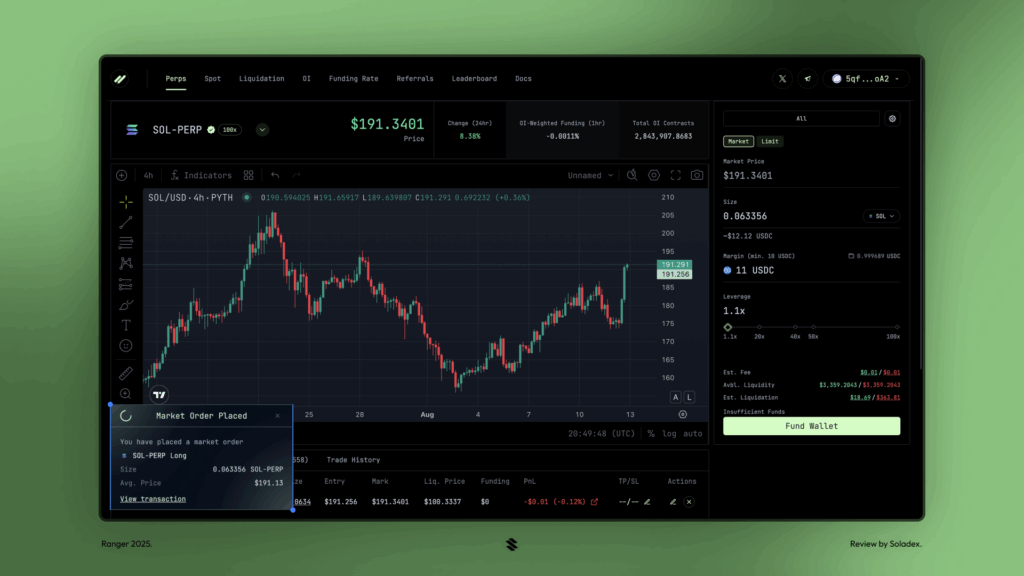
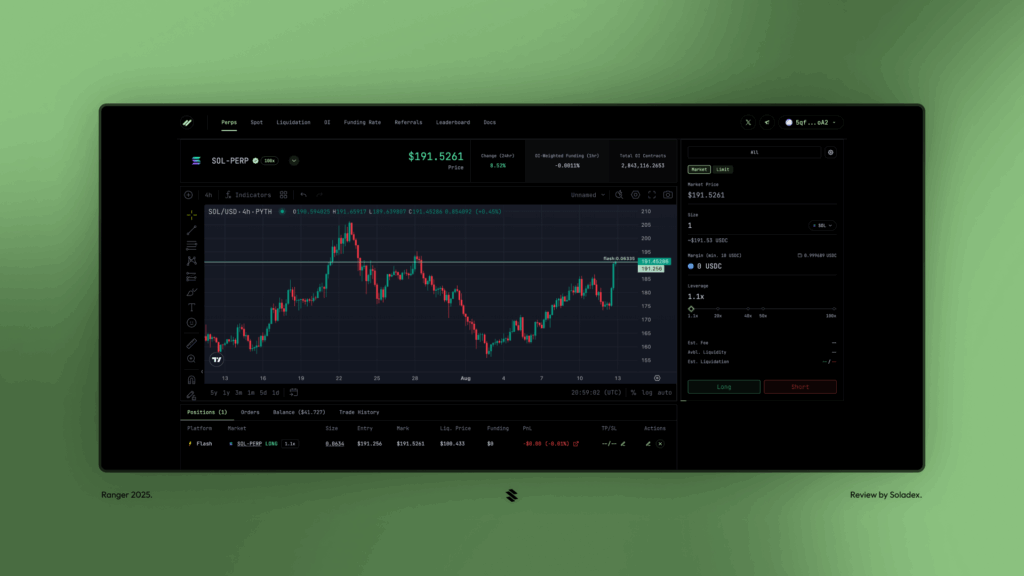
You can track your open positions under the “Positions” tab. Here, you can close your position or monitor its status.
Select your desired trading pair (e.g., SOL/USDC).
Choose the position type:
- Long (Buy): Profit if the price rises.
- Short (Sell): Profit if the price falls.
- Set collateral amount and leverage.
- Click “Open Position” to start trading.
Position Management
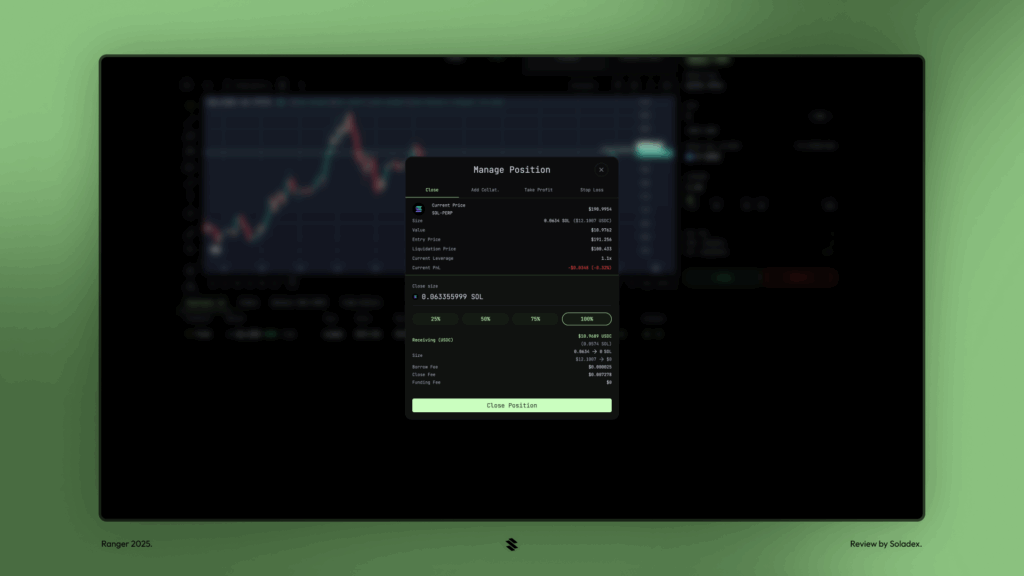
To close fully or partially: use “Close Position / Partial Close.”
Use Take Profit (TP) and Stop Loss (SL) settings to manage risk and secure profits.
Ranger Finance Advantages
- Low Trading Fees: Keeps costs minimal for users.
- Deep Liquidity: Aggregates liquidity from multiple DEXs for better prices.
- User-Friendly Interface: Simple, intuitive design enhances user experience.
Investor Challenges and Ranger’s Solutions
- Reduces trading fees and minimizes slippage
- Provides consolidated liquidity from multiple DEXs
- Offers easy position management from a single platform
- Enhances capital efficiency with cross-margin support
Ranger Finance FAQ
Q1: What is Ranger Finance?
A: Ranger Finance is a decentralized perpetual trading platform on Solana where you can trade cryptocurrencies.
Q2: What do I need to use Ranger Finance?
A: A Solana-compatible wallet (e.g., Phantom), some SOL for transaction fees, and USDC for trading.
Q3: How do I connect my wallet to Ranger Finance?
A: Click the “Connect Wallet” button on the top-right, select your wallet, and approve it.
Q4: How do I open a position?
A: Use your USDC as collateral to open long or short positions on your chosen trading pairs. Track positions under the “Positions” tab.
You can also freely share your thoughts and comments about the topic in the comment section. Additionally, don’t forget to follow us on our Telegram, YouTube, and Twitter channels for the latest news and updates.